
From Code Nodes to AI Agents: Elevating n8n with Tool-Calling LLMs (Part 2)
N8N Automation Speech – 2.
AMAX Technical Blog October 24, 2026
Contents
In Part 1, we built a fully automated lead-qualification pipeline using pure n8n Code nodes, SearXNG, and local LLMs. It worked — but it was code-heavy, fragile, and hard to scale. In this second part we replace those brittle Code scripts with AI Agent nodes, unlocking the real potential of large language models inside n8n. We’ll walk through deploying a tool – calling-capable LLM (MiniMax M2.5) with vLLM, wiring it into n8n’s AI Agent node, and ending up with a lean, maintainable workflow that feels almost like having a team of digital assistants.
What changed since Part 1 – two deliberate swaps. Part 1 ran on Ollama (phi4:14b) and notified the team via Gmail. Two things changed on the way to the v2 workflow, and they’re worth calling out so the architecture shift isn’t a surprise. First, we moved off Ollama to vLLM-served MiniMax, because the models we ran under Ollama could generate text but could not call tools – and tool-calling is the entire point of this part. Second, Gmail gave way to HubSpot as the system of record: the inbound inquiry now arrives from a HubSpot form (parsed via Outlook), and qualified leads are written back to the CRM rather than just emailed. Same pipeline goal as Part 1; a more capable model and a real CRM behind it.
The Problem with Code-Only Workflows
Our original workflow (v1) performed four sequential research steps — company LinkedIn search, public-company verification, funding extraction, and personal-LinkedIn check — entirely with JavaScript Code nodes calling SearXNG and Brave APIs directly. The logic was sound, but we kept hitting snags:
- Brittle prompts. The LLM (Mistral) often returned extra
tags, markdown, or malformed JSON that broke downstream nodes. - No tool calling. The model had to ingest entire web pages as prompt context, consuming tokens and often missing relevant details.
- Hard to debug. Errors were buried in Code-node logs, and a single misparsed response could halt the whole flow.
- Scalability concerns. Each new step meant more custom code, more edge cases, and more time spent on string manipulation than on logic.
We needed a model that could think for itself — choosing when to search, fetching only what it needed, and returning clean structured data — without us writing an HTTP client and parser for every task.
Enter vLLM and MiniMax M2.5
Not all LLMs support tool calling natively. Our existing Mistral and DeepSeek models were good text generators but couldn’t interact with external tools. MiniMax M2.5 offers an OpenAI-compatible API with full function calling. To make it available to n8n, we deployed it with vLLM, a high-performance inference engine that exposes models over an OpenAI-compatible endpoint.
The setup was straightforward:
- Deploy MiniMax M2.5 with vLLM on the GPU server (the same machine that runs our NVIDIA NIM containers). The model listens on its own port and speaks the OpenAI chat-completions protocol.
- Verify the API from within the n8n container:
- In n8n, add an OpenAI Chat Model node pointed at the vLLM base URL with model name MiniMax-M2.5. No proxies, no extra layers — direct, low-latency communication between n8n and the GPU server.
curl http://:8729/v1/chat/completions \
  -H "Content-Type: application/json" \
  -d '{"model":"MiniMax-M2.5","messages":[{"role":"user","content":"Hello"}]}'
A successful response confirmed that the model was ready to accept tool-calling requests.
Now n8n could talk to a fully capable, tool-calling LLM that could decide when to use third-party APIs, fetch websites, or search the web — all through the standard OpenAI function-calling protocol. This was the missing piece that let us replace hand-written HTTP checks with intelligent agents.
Redesigning the workflow with AI Agent nodes
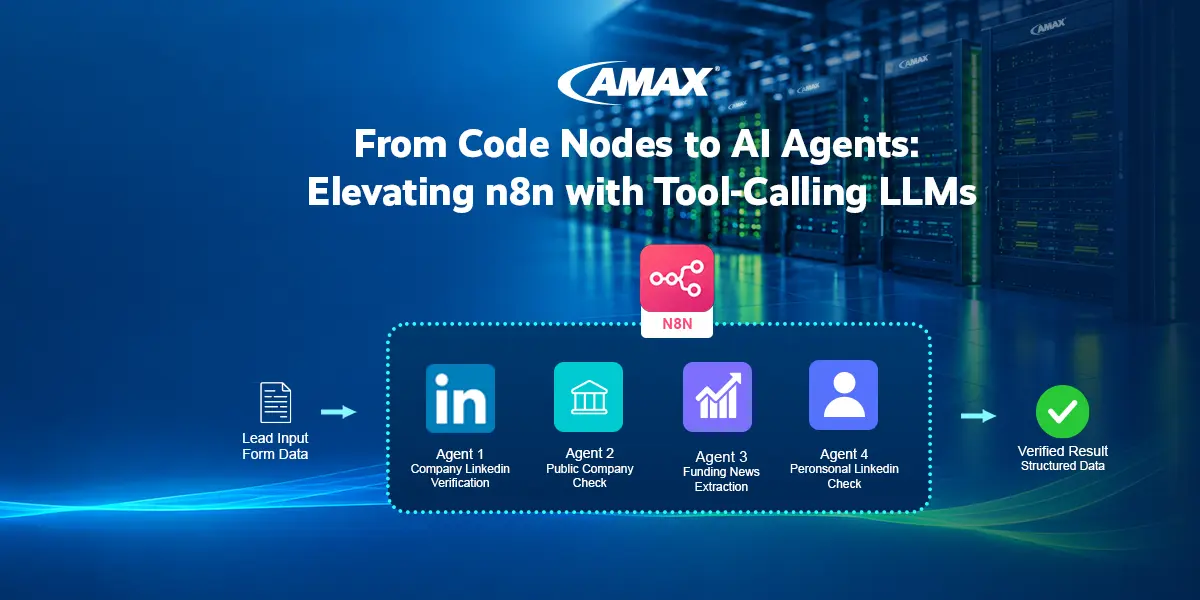
The v2 workflow keeps the same overall sequence — (1) company LinkedIn verification, (2) public-company check, (3) funding news, (4) personal LinkedIn — but each step is now a dedicated AI Agent node. Each agent receives a focused prompt and a set of tools (Brave Search, HTTP Request, SearXNG). The agent decides autonomously how to accomplish its task; we just supply the inquiry details and the expected output format.
Anatomy of an AI Agent node:
- System prompt – a brief role description and a strict reminder to return only a specified JSON object.
- Input data – the Form_* fields from the lead (company name, email, etc.), injected via n8n expressions.
- Tools – Brave Search (web queries), HTTP Request (fetching specific URLs like Yahoo Finance), and optionally a SearXNG code tool for backup.
- Structured output parser – at first we attached a parser to enforce JSON. We later replaced it with robust Code-node extraction (more below).
- Connection – each agent feeds its output to a lightweight Code node that updates a verifiedResult object, passed sequentially to the next agent.
For example, the Public Company agent’s prompt reads:
You are an experienced sales person. Please verify if the company name,
{{ $json.inquiryDetails.Form_Company_name }}, is a public company according to Yahoo! Finance.

Return data in the following JSON format:
{"verifiedPublicCompany": BOOLEAN, "verifiedPublicSymbol": STRING}
The agent then uses Brave Search to find the Yahoo Finance ticker page, fetches it with HTTP Request, and extracts the symbol. The human-like reasoning – “find the ticker page first, then parse it” – is fully automatic.
Tool Calling in Action
What differentiates v2 from v1 is the tool-calling loop. Given a prompt, the agent first “thinks” (often inside an internal <think> block we strip later), then decides which tool to call and with what arguments. In our logs we could see sequences like:
Calling Brave_Search with input: {"Query":"AMAX Engineering stock yahoo finance"}

... (tool returns results) ...

Calling HTTP_Request with input: {"URL":"https://finance.yahoo.com/quote/6933.TW"}

... (tool returns HTML) ...

→ Output: {"verifiedPublicCompany": true, "verifiedPublicSymbol": "6933.TW"}
This is a far cry from the fragile fetch-and-parse-HTML code we wrote before. The LLM handles decision-making, retries when needed, and can even switch search engines if one fails.
Taming Unpredictable Outputs: From Parsers to Resilient Code
Even with explicit instructions to return JSON, LLMs can be stubborn. They sometimes wrap output in markdown fences, include a <think> block, or – in MiniMax’s case – embed the JSON inside an action/text envelope, often double-escaped. The Structured Output Parser node meant to solve this often failed with schema mismatches, because the parser saw the raw string before we could unwrap it.
Our pragmatic solution: remove the parsers and rely on a tiny Code node after each AI Agent. The Code node grabs the raw output, uses a regex-based extraction to find the first well-formed JSON object, parses it, and updates the growing verifiedResult:
const agentOutput = $input.item.json.output;
const cleaned = agentOutput.replace(/```json|```/g, '');
const jsonMatch = cleaned.match(/\{[\s\S]*\}/);
const parsed = jsonMatch ? JSON.parse(jsonMatch[0]) : {};
return {
  ...previousItem,
  verifiedResult: { ...previousItem.verifiedResult, ...parsed }
};
This snippet runs in milliseconds, works regardless of how the LLM dresses up its answer, and preserves the full history of previous verification steps because we always spread the incoming item. It replaced four distinct parsing failures and made the workflow robust enough to run unsupervised.
Integrating HubSpot CRM (the missing puzzle piece)
As the AI chain evolved, we added parallel HubSpot lookups for the submitter’s company and contact. This branch runs after the website scrape (which extracts the official company name from og:title. The two HubSpot lookups run in parallel, are merged, and flattened into a single object containing companyResult, contactResult, and inquiryDetails.
The key lesson: keep this data separate from the AI chain until needed, and reference it by explicit node names rather than relying on sequential data flow. This prevented the AI agents from being triggered multiple times by unrelated inputs – a classic n8n “parallel execution” trap.
The Final v2 Workflow
The full v2 pipeline is now:
- Webhook receives the HubSpot form submission (parsed by Outlook).
- Extract Inquiry Fields flattens the data.
- Code – Get Webpage fetches the company homepage (if the email is valid; otherwise stops with an error).
- Extract Company Name parses
og:titlefor a clean company name. - Parallel HubSpot searches → merged and flattened.
- Sequential AI Agents: (1) company LinkedIn, (2) public company, (3) funding news, (4) personal LinkedIn.
- Final Summary Agent synthesizes all data and produces an internal assessment, next steps, and an external reply email (subject + HTML body).
- Two Gmail nodes send the internal notification and the prospect reply.
Every step is contained, testable, and surprisingly declarative — far closer to a specification than a script.
What We Gained (and What Still Needs Work)
Gains
- No custom HTTP code for research steps — the LLM decides how to search, when to fetch, and how to extract.
- Cleaner data flow: a linear chain of objects rather than scattered Code nodes.
- Easier debugging – each agent’s output is visible in the execution log.
- Extensible: adding a research step means copying an AI Agent, adjusting its prompt and output fields, and inserting a Code node to append to
verifiedResult.
Ongoing Challenges
- Prompt engineering remains critical; a single missing instruction (“return only JSON”) can cause conversational fluff.
- Token consumption can be high, especially with multiple tool calls — set sensible
max_tokensand use a capable model. - Latency: sequential agents take longer than a parallel code-based approach, but the reliability and maintainability gains are worth it.
- Model quirks: MiniMax M2.5’s tendency to emit
blocks before the final answer had to be stripped programmatically.
The Road Ahead
This v2 workflow is a genuine AI-powered assistant that saves our sales team hours each morning. But we’d accumulated a zoo of tool nodes — multiple Brave Search nodes, several SearXNG nodes, a raw HTTP Request node — each with its own quirks and failure modes. In Part 3, we collapse all of them behind a single Web Retrieval Service, upgrade to MiniMax M2.7, and take our first real step from “tool-calling” into “agentic.”
If you’re still writing await this.helpers.httpRequest() by hand for every external call, it might be time to teach your robot how to fish.